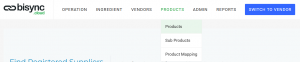
The Products in Bisync is the menu item in your outlet. To build your products, go to Products drop down menu and select Products.
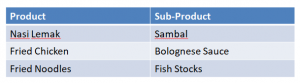
The difference between Products and Sub-Products
Products : The menu item you build to be sold in Outlet/Central Kitchen.
Sub-Products : The sub-products you create from your ingredients to be added into your Product.
Example:
Once you have created your sub-products, you can add the item into your Product build. See Creating Products for guide.
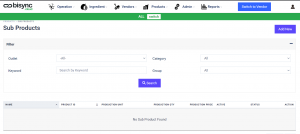
In the Sub-Product page, you can  to create a New Product or use the filter function to see the products you have already created. To see all the sub-products, select the Outlet and click
  . You can also go into a detailed search by using the Category, Group or search by Keyword.
To create New Product, just select
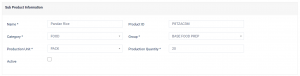
You will need to key in Name, Category, Group, Production Unit and Production Quantity.
Note: Production Unit defines the UOM of your production and Production Quantity defines the amount you make for each sub-product.
Next, you will need to add the Components that is used by your sub-product.
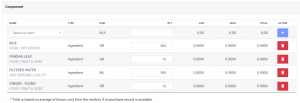
Production ID will be generated by the system if you do not have one.
Lastly, select the outlet in which your sub-product is being used. Select all that is applicable.
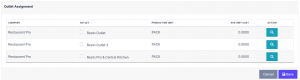
Only Outlets with  checkbox will be able to see the sub-product.
Once you have completed the entry, remember to click  .
.
You can revisit to edit the product whenever you want to modify or improve on the sub-product.
Repeat this process for all the sub-products you are creating.